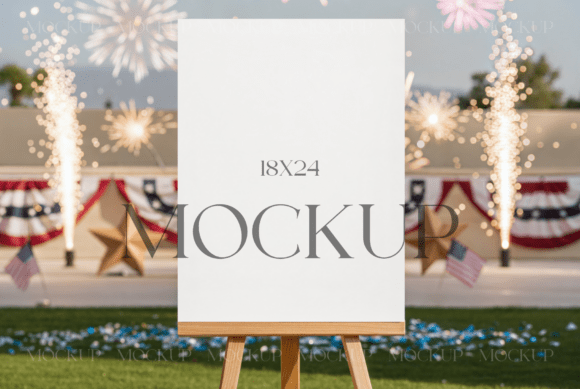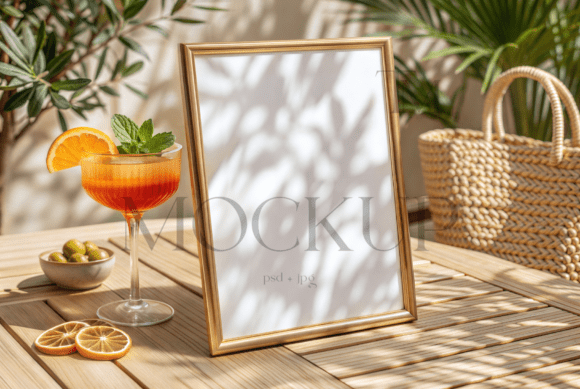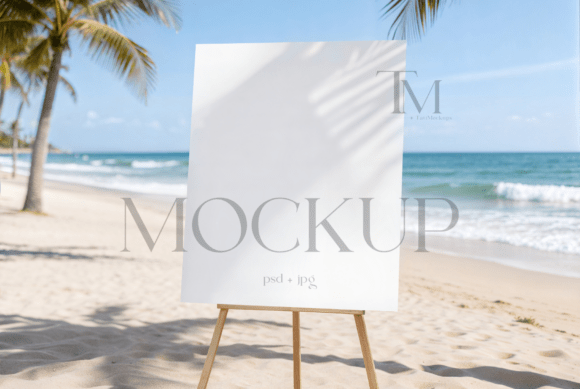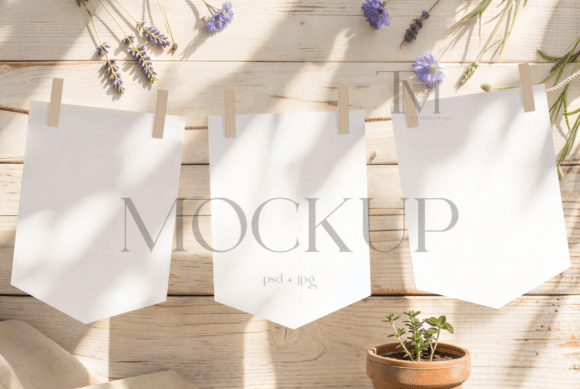
Beach Coastal 18x24 Welcome Sign Mockup
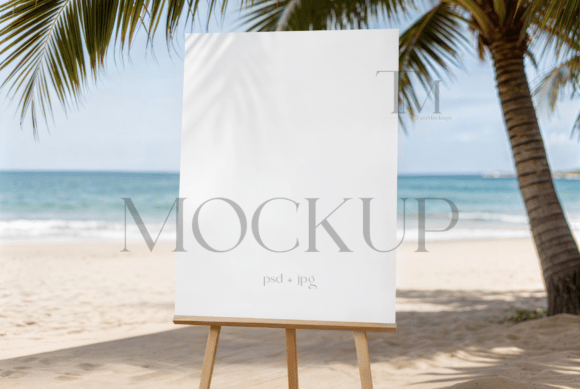
Visualizing a design in its intended environment is often the most challenging part of the creative process. For designers, event planners, and small business owners, presenting a concept requires more than just a flat digital file; it demands context. The Beach Coastal 18x24 Welcome Sign Mockup provides that essential context by placing your artwork within a realistic, serene outdoor setting. Featuring a sturdy easel positioned against a backdrop of soft ocean waves and sandy shores, this tool bridges the gap between abstract design and tangible reality.
This resource is not merely a background image. It is a high-resolution PSD file engineered with smart object layers, allowing for seamless integration of your specific graphics. Whether you are using Adobe Photoshop or the browser-based Photopea, the workflow is designed to be intuitive. By double-clicking the smart object layer, users can drag and drop their 18x24 inch designs, adjust the sizing, and save the work to instantly see how their typography and imagery interact with natural light and coastal textures.
Why Context Matters in Design Presentation
The difference between a good design and a sold service often lies in presentation. A standalone graphic on a white canvas tells a client what the design looks like. A mockup tells them how it feels. For seaside weddings, bridal showers, and tropical corporate retreats, the atmosphere is half the product. Clients are buying into a vibe—relaxation, elegance, and natural beauty. When you present a welcome sign using this coastal mockup, you are helping the client visualize the guest experience from the moment they arrive.
For freelance graphic designers, this efficiency is crucial. Time spent manually compositing shadows, adjusting lighting angles, and masking edges is time taken away from billable design work. This mockup automates those technical adjustments. The smart object layer handles perspective and lighting automatically, ensuring that the final output looks professional without requiring advanced photo manipulation skills. This allows designers to focus on typography and layout rather than technical rendering.
Tailored Utility for Different Creators
Different professionals approach design tools with varying priorities. Understanding how this specific mockup serves diverse needs can help you determine if it aligns with your current projects.
Event Planners and Wedding Coordinators
For those in the events industry, clarity and speed are paramount. You may not be a Photoshop expert, but you need to show a bride or groom exactly how their welcome signage will look at their venue. This mockup offers a plug-and-play solution. By simply inserting the finalized design into the template, you can provide a realistic preview that helps secure approvals faster. The realistic outdoor easel setup adds a layer of authenticity that static proofs cannot match, helping clients feel confident in their aesthetic choices.
Small Business Owners and Etsy Sellers
If you sell printable signage or custom event stationery, your product photos are your primary sales tool. Online shoppers cannot touch or see the physical item, so they rely on images to judge quality. Using a generic white background can make digital products feel cold or impersonal. In contrast, the Beach Coastal 18x24 Welcome Sign Mockup adds lifestyle appeal. It suggests that your designs belong in beautiful, real-world settings. This can increase perceived value and help your listings stand out in crowded marketplaces. The included high-res JPG file also allows for quick uploads to social media platforms where visual appeal drives engagement.
Educators and Students
In academic or training settings, this tool serves as an excellent resource for teaching layout and environmental design. Students can experiment with how different font weights, colors, and contrasts perform against a complex, natural background. It provides a safe sandbox for learning about readability and visual hierarchy. Because the file includes clear instructions—launch Photoshop, open the smart object, drag, adjust, and save—it lowers the barrier to entry for beginners who might otherwise be intimidated by complex compositing techniques.
Technical Features and Workflow Efficiency
The core value of this mockup lies in its technical construction. It is delivered as a PSD file with smart object layers, which is the industry standard for non-destructive editing. This means your original design file remains untouched, and you can swap out designs repeatedly without degrading image quality. The high resolution ensures that even when zoomed in or printed for portfolio purposes, the details remain crisp.
The compatibility with Photopea is a significant advantage for users who do not have access to expensive software subscriptions. Photopea is a free, browser-based editor that supports PSD files and smart objects. This accessibility democratizes high-quality presentation, allowing hobbyists, students, and budget-conscious entrepreneurs to achieve professional results without significant overhead costs.
The process is straightforward:
- Launch Photoshop or Photopea and open the PSD file.
- Double-click the smart object thumbnail in the layers panel.
- Drag your 18x24 design into the new window that appears.
- Adjust the image size to fit the canvas boundaries.
- Save the smart object and return to the main file to see the update.
This streamlined workflow reduces the time required to create multiple variations. If a client requests three different color schemes, you can cycle through them in minutes rather than hours.
Evaluating Fit for Your Projects
Before purchasing or downloading any digital asset, it is important to assess whether it meets your specific needs. This mockup is ideal for projects that benefit from a relaxed, natural, or luxurious coastal aesthetic. It is particularly suited for:
- Seaside wedding entrance signage
- Bridal shower welcome posters
- Tropical resort event branding
- Summer party invitations and displays
- Beach-themed retail promotions
However, it may not be suitable for corporate boardroom presentations or urban-themed events where the coastal background would feel incongruous. Always consider the brand identity and event tone when selecting a mockup environment.
Understanding Licensing and Usage Rights
Respecting intellectual property is vital for sustainable creative practices. When you acquire this mockup, you are purchasing a license to use the template for your personal or commercial projects. This means you can use the final rendered images to promote your design services, sell your printed signage, or showcase your portfolio. You are permitted to modify the image, apply filters, and adjust colors to align with your specific branding guidelines.
It is important to note what is not permitted. You cannot resell the mockup file itself. The PSD and JPG files are for your use in creating end products, not for redistribution as a template. Additionally, the stationery designs shown in preview images are for display purposes only and are not included in the purchase. The original files you receive will be free of watermarks, ensuring clean, professional outputs for your clients.
By understanding these terms, you can confidently integrate the Beach Coastal 18x24 Welcome Sign Mockup into your workflow, knowing that you are using the asset correctly and ethically. This clarity protects both your business and the creator’s rights, fostering a healthy ecosystem for digital resources.
Ultimately, this tool is about enhancing communication. It helps you convey your vision with precision and beauty, saving time while elevating the perceived quality of your work. Whether you are a seasoned designer or just starting your creative journey, having reliable, high-quality mockups in your toolkit is an investment in your professional presentation.