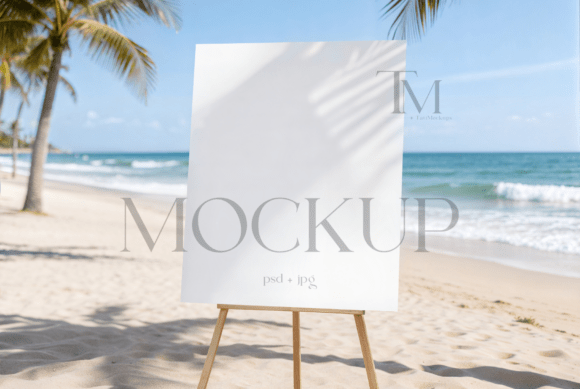
Outdoor Wedding Sign Mockup: A Practical Guide to Professional Event Stationery Presentation
In the competitive landscape of event design and digital product sales, the visual presentation of your work is often as critical as the design itself. An outdoor wedding sign mockup serves as a vital bridge between a flat digital file and the tangible reality of a client’s special day. For graphic designers, stationery shop owners, and freelance creatives, mastering the use of high-quality mockups is not merely about aesthetics; it is a fundamental component of an efficient business workflow. By utilizing a specialized 16x20 wedding sign template, you can transform static artwork into compelling, context-rich visuals that resonate with potential buyers and clients.
This article explores how to integrate these digital assets into your creative process, ensuring that your portfolio and online shop reflect professionalism, attention to detail, and realistic application. We will examine the technical aspects of using PSD smart objects, the importance of environmental context in marketing, and best practices for maintaining consistency across your brand’s visual identity.
The Role of Context in Event Design Marketing
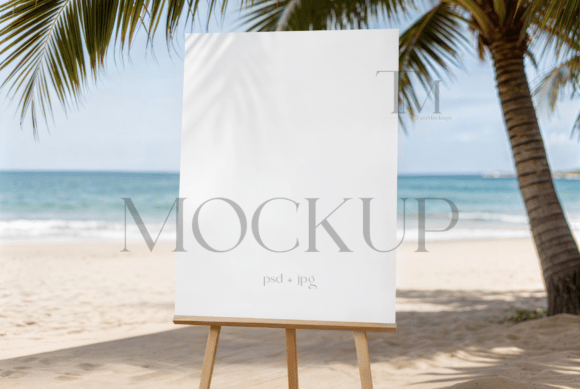
When a couple plans their wedding, they are not just buying a piece of paper or a wooden board; they are buying into a vision. A standalone JPEG of a seating chart or welcome poster often fails to convey the scale, texture, and atmosphere of the final product. This is where the outdoor wedding sign mockup becomes an indispensable tool. It places your design within a recognizable environment—typically an organic garden setting with natural lighting, shadows, and textures.
By presenting your custom event stationery in this manner, you help the viewer visualize the end result. The interplay of light and shadow on the sign’s surface adds depth, making the digital file feel physical. For entrepreneurs and marketers, this psychological cue is powerful. It reduces the cognitive load for the buyer, who no longer has to imagine how the design will look in situ. Instead, they see a polished, ready-to-execute solution. This clarity can significantly influence purchasing decisions, reducing hesitation and increasing conversion rates for digital downloads and custom design services alike.
Technical Integration: Working with Smart Objects
The efficiency of a modern design workflow relies heavily on non-destructive editing techniques. Premium mockups, such as the 16x20 wedding sign PSD provided by TatiMockups, utilize Adobe Photoshop’s Smart Object technology. This feature allows you to insert your artwork without altering the underlying structure of the mockup file. Understanding how to leverage this functionality is key to maintaining a fast and error-free production pipeline.
Here is a practical breakdown of how to implement your graphics into the template:
- Launch and Locate: Open the PSD file in Adobe Photoshop. Identify the layer designated as the Smart Object. It is usually clearly labeled in the Layers panel, often with an icon resembling a small page in the corner of the thumbnail.
- Access the Smart Layer: Double-click the thumbnail of the Smart Object layer. This action opens a new tab containing only the placeholder image or blank canvas where your design will reside.
- Insert Your Artwork: Drag and drop your 16x20 design file into this new tab. Ensure that your design matches the dimensions specified (16x20 inches) to avoid distortion or unnecessary scaling issues.
- Adjust and Align: Use the transform tools (Ctrl+T or Cmd+T) to resize your graphic if necessary. Align it precisely with the boundaries of the card or sign board. Pay attention to any safe zones or margins indicated in the template.
- Save and Update: Save the Smart Object file (Ctrl+S or Cmd+S). Return to the main mockup tab. You will see your design automatically updated, wrapped onto the sign with the correct perspective, shadows, and textures applied.
This process takes seconds once mastered, allowing you to iterate through multiple design options rapidly. For freelancers handling multiple clients, this speed is crucial for meeting tight deadlines without sacrificing quality.
Enhancing Realism with Environmental Textures
A common mistake among novice designers is ignoring the environmental factors embedded in high-quality mockups. The "organic garden shadows" mentioned in the product description are not just decorative; they are essential for realism. When you drop your artwork into the smart layer, the mockup applies blending modes and displacement maps that mimic how light interacts with the physical material of the sign.
To maximize the impact of your outdoor wedding sign mockup, consider the following adjustments:
- Color Grading: Ensure your design’s color palette complements the warm, natural tones of the garden background. If your design is overly saturated or cool-toned, it may clash with the ambient lighting of the mockup. Minor adjustments to hue and saturation can help harmonize the design with its environment.
- Contrast Checks: Natural sunlight can wash out certain details. Review your design at 100% zoom to ensure that text remains legible despite the added shadows and highlights. If necessary, increase the contrast of your typography to maintain readability.
- Texture Interaction: If the mockup includes surface textures (such as wood grain or paper fiber), allow them to show through subtly. This adds authenticity. Avoid flattening the image too aggressively, as this removes the tactile quality that makes the mockup effective.
These细微 adjustments demonstrate a high level of craftsmanship. They signal to your audience that you understand not just graphic design, but also print production and physical media constraints.
Workflow Efficiency and Asset Management
Integrating mockups into your routine requires organized asset management. As your library of templates grows, so does the need for a systematic approach to file storage and retrieval. Here are some strategies to keep your workflow smooth:
Standardize File Naming: Adopt a consistent naming convention for your mockup files and final exports. For example, use formats like ClientName_ProjectType_Date_v1.jpg. This makes it easier to locate specific assets when updating portfolios or responding to client requests.
Create Action Sets: If you frequently use the same mockup, consider recording a Photoshop Action that automates the initial steps of opening the smart object and placing the file. While the manual process is quick, automation can save cumulative hours over months of work.
Quality Control Protocol: Before publishing any image to your shop or social media, perform a final review. Check for pixelation, misalignment, or color shifts. The high-res JPG file included in the download package is ideal for final output, ensuring that your online display remains crisp and professional across all devices.
Ethical Use and Licensing Considerations
Understanding the terms of use for digital assets is a critical aspect of professional practice. The license for this outdoor wedding sign mockup permits its use for personal and business projects, allowing you to modify images and apply filters to align with your branding. However, it strictly prohibits reselling the mockup itself. This distinction is vital.
You are purchasing the right to display your designs within this context, not the right to distribute the template. Always respect intellectual property rights. Using mockups ethically builds trust within the creative community and protects your business from legal complications. Furthermore, acknowledging the source of your tools, such as TatiMockups, can foster positive relationships with other creators and potentially lead to collaborative opportunities.
Long-Term Value in Your Creative Toolkit
Investing in premium mockups is an investment in your brand’s longevity. Unlike free, low-resolution alternatives, high-quality PSD files offer flexibility and realism that stand the test of time. As trends in wedding design evolve—from rustic chic to modern minimalist—a versatile 16x20 sign mockup can adapt to various styles. Its neutral, organic background ensures that it remains relevant regardless of seasonal trends.
Moreover, having a reliable set of mockups allows you to scale your business. Whether you are launching a new collection of printable stationery or pitching a custom design service to a high-end client, the ability to produce photorealistic previews instantly gives you a competitive edge. It demonstrates preparedness, professionalism, and a commitment to quality.
In conclusion, the outdoor wedding sign mockup is more than a digital prop; it is a strategic asset in your design workflow. By mastering its technical implementation, respecting its licensing terms, and leveraging its aesthetic potential, you can elevate your presentation standards. This, in turn, enhances client confidence, streamlines your sales process, and ultimately contributes to the sustained growth of your creative enterprise. Embrace these tools not as shortcuts, but as essential components of a sophisticated, modern design practice.